
Tower Defense Timer 🗓️ Missile Week 2
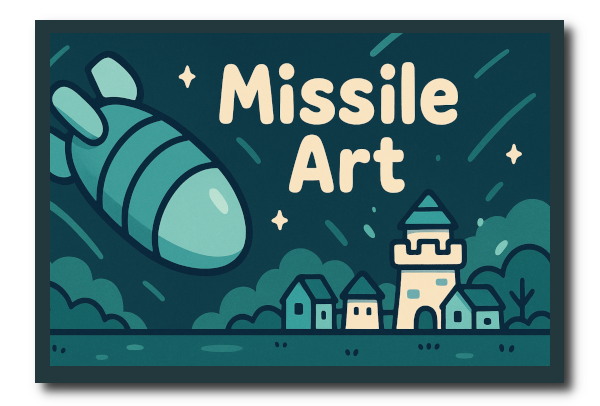
🗓️ Week 2
🎨 Concept Art — Missiles
🎨 Enemy Missile Sprite
🎨 Enemy Missile Sprite
🎨 Enemy Missile Sprite Animation Frames (4)
I’m taking a Domestika course on how to use procreate so I can learn to make my own art assets.
https://www.domestika.org/en/courses/1273-procreate-for-beginners-digital-illustration-101 (Affiliate Link – via Impact)
ChatGPT recommended these ideas. I gave it the prompt, restricted it to my colors, and the kawaii art style and this is what it came up with.
Gallery ChatGPT Suggested Pin Board


Notes
This is my first attempt at drawing a missile for the game, trying to mimic the art style, and keeping the color palette very simple. I’m also learning how to animate so I did some small changes over 4 frames and made the animation.


Here’s the vlog showing the animations in the game editor Godot, and then in the active game.
Not bad for a first attempt at my own art and my own animation of a missile.
Tower Defense Timer 🧩 Art Assets 🎨 Week #2 🐉
🧩— In case the embed failes, direct link to the video on youtube. —🐉
🎙️ Voice-Over Transcript — Tower Defense Timer Art Assets Week #2
🧱 Week Two Progress
This week I worked on the missile forms, and one set of explosions.
In this video you will see two of the new missiles and the explosion animations.
Each sprite has between 6 and 12 frames for the animations.
These are not the finished art assets, these are likely temporary.
I have a lot to learn about digital art.
But as a indie game dev, we also need art to work with, and I would rather use my own temporary art, than make a bunch of videos with the art from the course. Plus the best way to learn how to make digital art is to go ahead and make it and use it.
Then I can see how the engine handles the animations, and what changes I need to make.
As you will see in the video I need to change the orientation on one set of frames, and I had to change the size to fit scene I have set up.
I’m recording some of the in game video in week3, so you can already see next weeks castles starting to take shape.
The video is a compilation of snippets taken in obs and stream labs, and they are speed up to keep the video short.
Video contains one enemy missile, one player missile, and one enemy explosion.
I don’t know how to get video off the ipad yet, but it’s on my list of things to learn.
Video showing the animations is being made in Godot 4.4.1 C#, and OBS or StreamLabs to record it.
I am learning how to use Davinci Resolve to edit it all together.
🎮 Let’s Chat!
Thanks for watching this art log!
Let me know what you think about my art?
Are there any tutorials you’d recommend for beginner artists learning how to use procreate?
I’m more familiar with gouache and watercolors. This is a new medium.
Links to our website are in the description below.
And if you enjoyed this art log, please like the video, and subscribe for more.
If you’re not sure what to comment, just drop a dragon 🐉 and art emoji 🎨 below!
Link Tree:
🐉 Crafted By Little Dragons Art, WebComic, 2D art for games, 3d art for games, Stickers, Merch
🐉 Website: https://craftedbylittledragons.net
🐉 Discord: https://discord.gg/ZctwT4hueZ
🐉 YouTube: @CraftedByLittleDragons https://www.youtube.com/channel/@CraftedByLittleDragons
Partner Indie Game Developer
💖 Kids Hide Away – Indie Games, Educational Games, Stickers, Merch:
💖 Website: http://www.kidshideaway.net
💖 Discord: https://discord.gg/um5nV3jyxD
💖 YouTube: https://www.youtube.com/@KidsHideAway
💖 Twitch : https://www.twitch.tv/kidshideaway/
💖 Itch.IO: https://kidshideaway.itch.io
🎨 Domestika Affiliate Link: https://domestika.sjv.io/xL74X3 (Procreate Class)
Working Copy (Git for Ipad) https://workingcopy.app/ — Works great with GitHub.